
Creator research · 6 min read
How to Test YouTube Thumbnails Before Uploading (A 3.2/10 Makeover)
By PimpMyViews Team ·
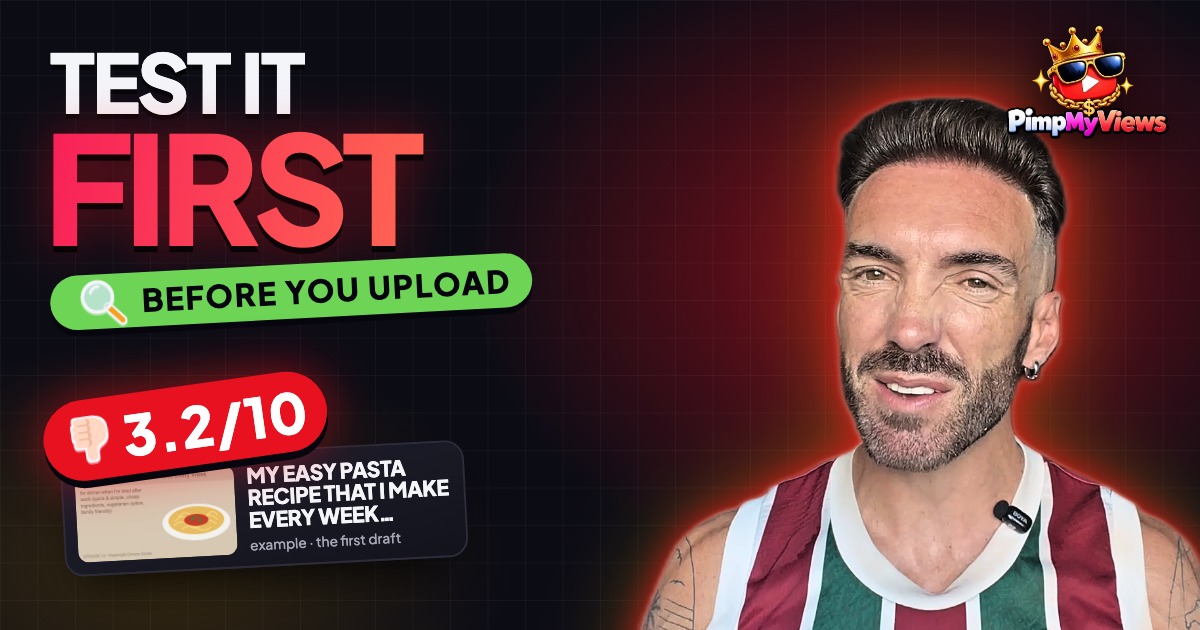
This thumbnail scored 3.2 out of 10. That's not me being mean. That's the score PimpMyViews gave it. And honestly, it deserved it.
So this is a makeover: one weak video idea, taken all the way to strong, before it ever goes on YouTube. It's also the simplest way I know to test YouTube thumbnails before uploading: the title, the thumbnail and the opening line, checked against what's actually winning in your niche.
Why test before you upload?
Since December 2025, YouTube Studio's Test & Compare lets you test up to three titles and thumbnails on one video. It shows them to different viewers and picks the winner by watch time.
That's a great tool. But there's a catch. It can only pick the best of what you give it. If all three options are weak, it just picks the least bad one.
So the real work happens before you upload.
Who this is for
Growing channels: somewhere between a thousand and a hundred thousand subscribers. You already know how to make a good video. But some of your videos just don't get clicked. The video is fine. People just never press play.
That's almost always the packaging. The title and the thumbnail are the only part of your video people see before they decide. If they don't work, nothing else gets a chance.
The weak first draft
The example is a cooking video: a quick pasta you make every week when you're tired after work. It's a good idea. Lots of people are tired after work, and lots of people want an easy dinner.
But here's the first draft of the packaging (an example made for this makeover):
- Title: "My Easy Pasta Recipe That I Make Every Week for Dinner When I'm Tired After Work"
- Thumbnail: a pale beige picture with a lot of small writing, and a bowl of pasta in the corner
Sound familiar? Most of us have made one of these.
Step 1: Look at what's winning in your niche
Before you change anything, look at what's winning. I searched the cooking niche on PimpMyViews. The top video was a kaju katli recipe with 3.4 million views, on a channel whose median is 257 thousand. That's 13.07 times its normal views.
Now look at the thumbnails at the top of that niche:
- Big food you can almost taste
- A few big words, or none at all
- On a lot of them, a real person looking happy
That's the bar.
Step 2: Turn the title into a promise
I gave the title optimizer the idea exactly as it was: long, a bit tired, no punch. I picked the cooking niche and used that cooking search as the reference, so it wasn't guessing. It was looking at three outlier titles that are actually working right now.
Some of what it gave back:
- My Tired Tuesday Pasta That's Ready in 15 Minutes Flat
- The Only Pasta Recipe You Need for Busy Weeknights
- Easy Pasta Recipe for Exhausted People (My Weekly Lifesaver)
Under the tired Tuesday one, the reason was "alliteration plus time specificity creates urgency". Tired Tuesday is fun to say, and fifteen minutes is a promise you can picture.
That's the big lesson about titles. The first title described the video. The new one makes a promise. Fifteen minutes. One feeling. A real day of the week. (The thumbnail side is in how to make YouTube thumbnails that get clicked.)
Step 3: Match the opening line to the title
It also wrote opening hooks: the first lines you say, so people don't click away. The first one started: "It's 7 PM, I just got home from work, and the last thing I want to do is stand over a stove for an hour."
That works because it matches the title, so the viewer feels they clicked the right thing. The title gets the click. The first fifteen seconds keep them watching.
Step 4: Get the thumbnail critiqued
I uploaded the beige draft to the thumbnail critique and compared it against the same cooking search. It came back with 3.2 out of 10: "Too text-heavy and low-energy; needs real food and human connection." Ouch. But fair.
The breakdown showed why:
- Text & legibility: 2.5. Too much writing drowns out the hook.
- Face & emotion: 1. No person at all.
- Versus the references: 2. It misses the niche's formula: a person plus food that looks delicious.
It also said what was working, so you don't throw out the good parts: the topic is clear. You can see it's a pasta recipe.
Then the quick wins, the three things to do first:
- Cut the text to five words or fewer, big and bold.
- Show the real dish, so it looks delicious.
- Add yourself in the frame, making warm eye contact.
That's a to-do list, not just a score.
The second draft
The second draft cut most of the writing: big yellow letters saying 15 MIN, ONE PAN, a dark background so the food pops, and one big bowl of pasta.
To be honest, it doesn't do everything on the list yet. It's still a drawing, not a real photo, and there's no face in it. For a real cooking channel, those are the next two fixes. But it's already a big step up.
Step 5: Check it in a real feed, and on a phone
This is where you stop judging your thumbnail on its own and see it where viewers actually see it. The feed preview dropped the video into a YouTube-style feed next to real videos from the cooking search.
Two things jumped out:
- The old title showed 80/70 visible characters in red. On YouTube, the end gets cut off, so the best part ("when I'm tired after work") nobody even sees.
- Next to the real thumbnails, with big food and real faces, the draft was a pale beige box with tiny writing. On a phone it's even worse: you can't read any of the small text, and it just looks like an empty card.
Then side by side: "Glance for one second. Which one would you click?" The beige draft and the long title, or 15 minutes, one pan, and "My Tired Tuesday Pasta That's Ready in 15 Minutes Flat". Same video. Same recipe. Totally different chance of getting clicked.
How to do this on your own channel this week
- Find your most underrated video: one you're proud of that got fewer views than usual.
- Look at what's winning in your niche, and write down what those thumbnails have in common.
- Rewrite the title as a promise, not a description: a number, a feeling, or a specific person it's for.
- Cut the thumbnail down to one picture and a few big words, and check it on a phone.
- Then use Test & Compare on your two or three strong versions. Now it's picking between good options, not bad ones.
You can do all of this by hand. PimpMyViews just makes it faster, because it does the research and the checking for you. To go deeper on step 2, read how to reverse-engineer an outlier video and start with your niche.
Frequently asked questions
Can you test YouTube thumbnails before uploading?
Yes. YouTube's own Test & Compare only works after upload, so before that you compare your draft with what's winning in your niche, get it critiqued, and check it in a feed and on a phone. PimpMyViews does the critique and the feed preview for you.
How many words should a YouTube thumbnail have?
In this makeover, the top cooking thumbnails used a few big words or none, and the critique's first quick win was "five words or fewer, big and bold".
Why does my YouTube title get cut off?
Long titles get cut off in the feed. The feed preview flagged the 80-character draft title at 80/70 visible characters, so its best part never showed.
Is YouTube Test & Compare enough on its own?
It picks the best of what you give it, by watch time. If all your versions are weak, it picks the least bad one, so make two or three strong versions first.
Get The Outlier Report
Each week, the biggest breakout videos across popular niches — straight to your inbox. Free.